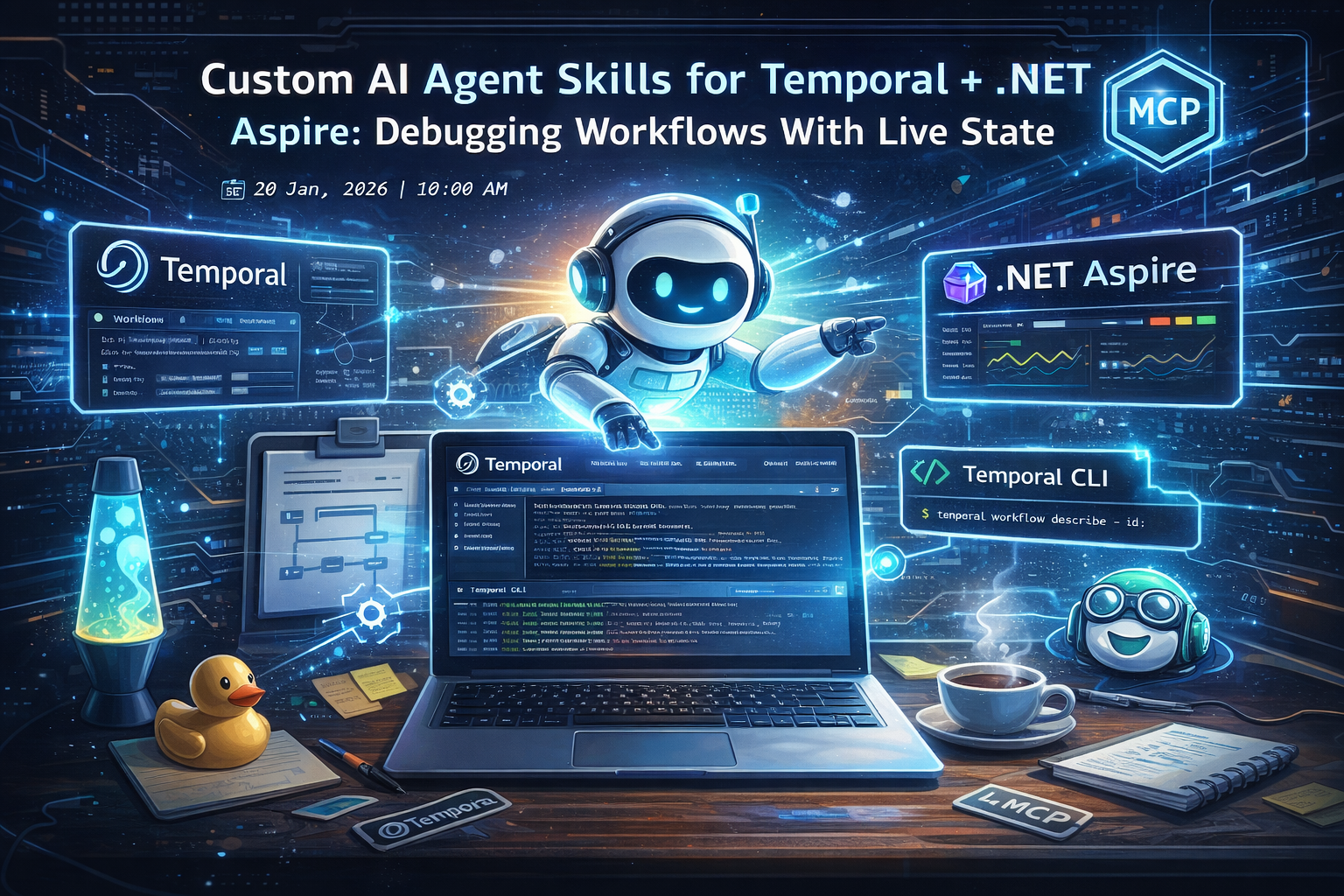
1) Introduction
I’ve been thinking a lot about how debugging has evolved.
It started (for many of us) with the rubber duck: a physical object you explain your code to, until your brain notices the bug. Then we got search, then StackOverflow, then docs-with-better-search. Now we’ve got something that’s simultaneously exciting and dangerous: a conversational “developer pair” that can see our code, reason about it, and (when you let it) run tools.
Temporal workflows are a perfect stress test for this.
Temporal isn’t “just background jobs.” Your workflow code is durable, replayed, and must remain deterministic forever. That single fact turns a lot of typical .NET habits into foot-guns: DateTime.UtcNow, Guid.NewGuid(), Task.Delay, Task.Run, locks, I/O, static mutable state… all the things you might do in normal code can become a replay-time problem.
So if you point a generic AI assistant at a Temporal codebase, you’ll often get suggestions that look fine in normal C# and are deeply wrong inside a workflow.
This post is about the setup I use during local development:
- A Temporal .NET agent library (a small custom agent + modular skills + reusable prompts).
- Aspire MCP so the agent can inspect live resources and OTEL logs/traces while you debug.
- Temporal Docs MCP as an authoritative backstop for API details.
- (Optional) two Temporal CLI skills: one read-only (safe), one “dangerous” (cleanup only), restricted to localhost / local dev.
The goal is not “let the agent run my system.” The goal is: give the agent enough context to help you investigate when your Aspire-based Temporal app is running locally — without accidentally suggesting nondeterministic workflow code or running risky commands against the wrong environment.
Repository: https://github.com/rebeccapowell/dotnet-temporal-ai
2) Prerequisites
This is a development-time setup. You should be able to run your app locally and see it in the Aspire dashboard.
- VS Code (current stable)
- GitHub Copilot (Chat + agent modes)
- .NET SDK: .NET 10 (recommended; .NET 8+ should work in principle)
- .NET Aspire: Aspire workload installed (recommended: latest stable)
- Temporal CLI: installed and on PATH (recommended: latest stable)
- Node.js: 20.x+ (for MCP servers that run via
npx, if you use any)
If your project is Aspire-based, you’ll also want the Aspire CLI available (so you can run aspire mcp init).
3) Understanding MCP and Agent Modes
There are two related ideas here:
- Agent mode: you’re not just “chatting” anymore. You’re defining a mode with a system prompt, rules, and tool access.
- MCP (Model Context Protocol): a standardized way to expose tools and resources to an AI assistant.
In plain terms: MCP is how you give an agent a controlled, inspectable toolbox.
Here’s the mental model I use:
| Component | Type | Purpose | Risk |
|---|---|---|---|
| Temporal .NET Agent (router) | Agent | Always-on policy + routes to skills | Low (text-only) |
| Temporal skills (determinism, versioning, testing…) | Skills | Task-shaped guidance loaded on demand | Low (text-only) |
| Temporal Docs MCP | MCP Server | Authoritative backstop for API details and edge cases (all languages) | Low (read-only) |
| Aspire Dashboard MCP | MCP Server | Live state: resources, console logs, structured logs, traces | Medium (can run commands via MCP) |
| (Optional) Read-only Temporal CLI Skill | Skill | Safe inspection commands (list/describe/show/query/trace/...) | Low |
| (Optional) Dangerous Temporal CLI Skill | Skill | Cleanup actions (terminate/cancel/delete/reset/...) restricted to local dev | High (if misused) |
Notice what’s missing: I’m not giving the agent a general “run anything on my machine” permission. Everything is scoped to dev investigation.
4) From one giant “skill” to a real agent library
This is the part I wish I’d realised earlier.
I started by putting everything into a single, opinionated “Temporal .NET skill” markdown file:
- mental model + determinism rules
- workflow vs activity boundaries
- signals/queries/updates patterns
- testing expectations
- versioning guidance (
Workflow.GetVersion, continue-as-new) - Aspire integration notes
- observability principles
- payload/converter/codec notes
It worked… but it didn’t scale. It was always loaded, always in-context, and it kept growing.
Eventually I realised what I’d actually built:
- not a skill, but a context-stretching custom agent
A real “skill” is supposed to be task-shaped and loaded only when relevant. A custom agent should stay small: identity, priorities, routing, refusal rules.
So I changed direction and rebuilt this as an agent library, using GitHub’s recommended structure:
.github/
  copilot-instructions.md
  agents/
  skills/
  prompts/
What this structure gives me
- Small router agent: always-on determinism-first worldview, and it routes to the right skill.
- Modular skills: determinism audit, versioning plan, test plan, Aspire hosting, observability… loaded on demand.
- Prompt files: push-button “do the thing” templates for repeatable work.
- AGENTS.md: a root-level index so other tools can discover the library layout too.
This is dramatically easier to maintain than one giant instruction blob.
5) Temporal-recommended .editorconfig (workflow-specific)
Temporal workflows are “normal C#” until they replay. Some analyzers can be actively unhelpful inside workflow code.
Temporal recommends .editorconfig settings to suppress analyzers that are misleading in workflows.
Important nuance: I recommend putting these rules in the Temporal workflows folder (scoped), not at repo root (global), unless you have a compelling reason to apply workflow constraints everywhere.
Example:
- Scoped (recommended):
src/TemporalWorkflows/.editorconfig - Global (not recommended):
.editorconfigat repo root
Here’s the workflow-specific snippet:
##### Configuration specific for Temporal workflows #####
[*.workflow.cs]

# We use getters for queries, they cannot be properties
dotnet_diagnostic.CA1024.severity = none

# Don't force workflows to have static methods
dotnet_diagnostic.CA1822.severity = none

# Do not need ConfigureAwait for workflows
dotnet_diagnostic.CA2007.severity = none

# Do not need task scheduler for workflows
dotnet_diagnostic.CA2008.severity = none

# Workflow randomness is intentionally deterministic
dotnet_diagnostic.CA5394.severity = none

# Allow async methods to not have await in them
dotnet_diagnostic.CS1998.severity = none

# Don't avoid, but rather encourage things using TaskScheduler.Current in workflows
dotnet_diagnostic.VSTHRD105.severity = none
Even if you never touch agent skills, this is a small quality-of-life improvement: it reduces noise and avoids unhelpful refactor pressure inside workflow code.
6) Configuring the Temporal Docs MCP as a backstop
I treat documentation MCP servers as backstops.
The agent + skills tell the assistant how to think about Temporal in .NET. The docs MCP tells it exact API details when I ask something like:
- “Is Update supported in this SDK version?”
- “What’s the current signature of
Workflow.Now?” - “What does this CLI flag actually do?”
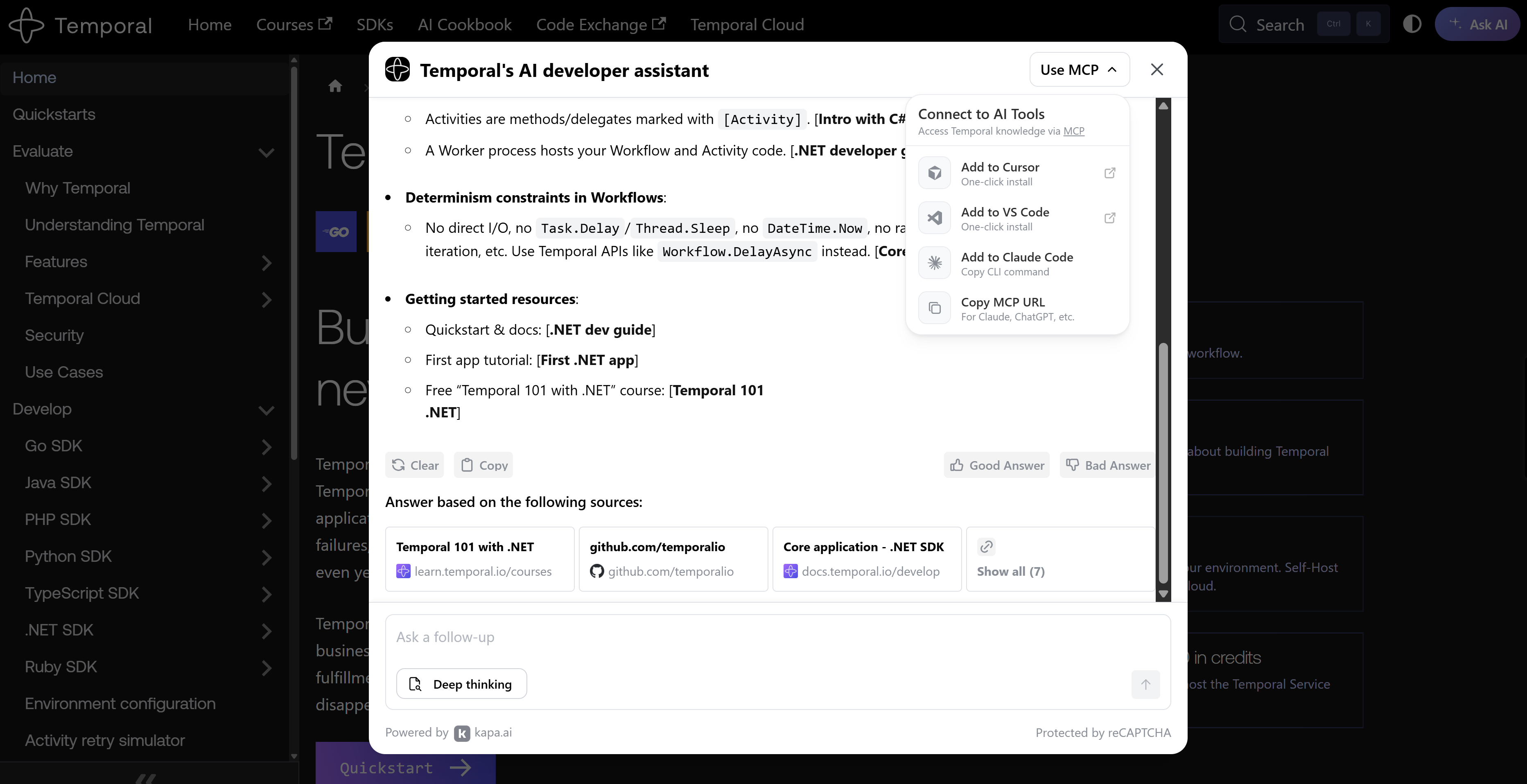
Temporal provides a hosted docs MCP endpoint (powered by Kapa) that tools like VS Code, Cursor, and Claude Code can connect to.
Important distinction:
- VS Code / Cursor / Claude Code are clients.
- The Temporal Docs MCP is the server.
- The “Add to …” buttons are just convenience flows for configuring the client with the same MCP URL.
Example .vscode/mcp.json layout (Aspire + Temporal docs)
Aspire can generate a working .vscode/mcp.json for you (more on that next). You can add additional MCP servers alongside it.
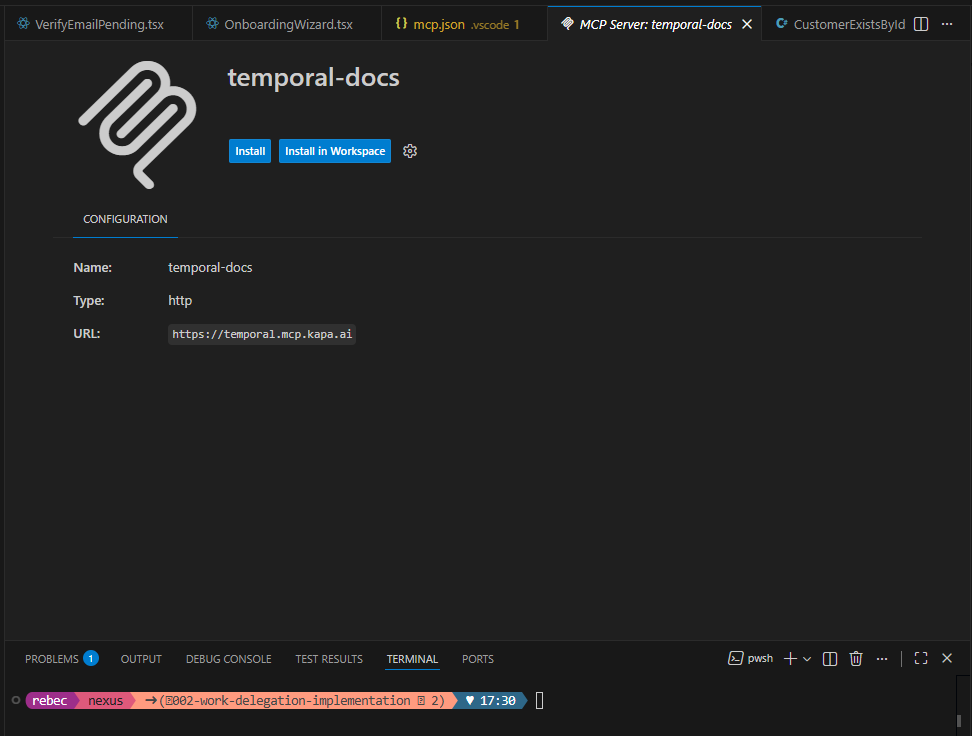
Here’s an example .vscode/mcp.json that connects to both Aspire (local stdio) and Temporal docs (hosted http):
{
  "servers": {
    "aspire": {
      "type": "stdio",
      "command": "aspire",
      "args": ["mcp", "start"]
    },
    "temporalDocs": {
      "type": "http",
      "url": "https://temporal.mcp.kapa.ai"
    }
  }
}
Getting the Temporal Docs MCP
You can naivigate the Temporal Docs website and via the search that is powered by Kapa.ai, you can follow the instructions to add them to your AI Agent powered IDE of choice.
I’ve chosen to add them to Visual Studio Code:
7) Integrating Aspire MCP for live observability
This is where the setup becomes truly useful.
When the agent can inspect live resources and live telemetry, you can ask it questions you’d normally answer by clicking around dashboards and grepping logs.
Step 1: initialize Aspire MCP
From your AppHost folder, run:
aspire mcp initAspire detects your environment and generates config for you. For VS Code, it creates or updates:
.vscode/mcp.json
What Aspire MCP gives you
Aspire MCP provides tools like:
list_resources(resources + health + endpoints)list_console_logs(console logs for a resource)list_structured_logs(structured logs)list_traces(distributed traces)list_trace_structured_logs(logs for a trace)execute_resource_command(restart / run resource commands)list_apphosts/select_apphost(if multiple AppHosts running)
The three pillars (and what the agent can do with them)
Aspire’s telemetry fundamentals are the classic three pillars:
| Pillar | What it answers | What I ask the agent |
|---|---|---|
| Logs | “What happened?” | “Show me errors for the worker resource in the last minute.” |
| Traces | “Where did time go?” | “Find the trace where this request stalls.” |
| Metrics | “Is it healthy?” | “Is latency trending up?” (often via dashboard UI rather than MCP) |
Under local dev, Aspire configures OpenTelemetry environment variables automatically (service name, instance id, OTLP endpoint), and the dashboard receives OTLP data.
Example .vscode/mcp.json (Aspire-only)
This is the format Aspire generates for VS Code:
{
  "servers": {
    "aspire": {
      "type": "stdio",
      "command": "aspire",
      "args": ["mcp", "start"]
    }
  }
}
Troubleshooting note
If you restart your AppHost or run multiple AppHosts, the agent may need to re-select the correct one. Aspire MCP supports:
list_apphostsselect_apphost
Call those explicitly in the troubleshooting section when readers get “wrong app” results.
8) (Optional) Building the read-only Temporal CLI skill
The Temporal CLI is incredibly useful during development, but I want it behind a safety boundary.
The read-only skill is for investigation:
| Command | Why it matters |
|---|---|
temporal workflow list | Find running/stuck workflows |
temporal workflow describe | Current status + details |
temporal workflow show | History/events (debugging gold) |
temporal workflow query | Read-only state inspection |
temporal workflow stack | Debug stacks (when supported) |
temporal workflow count | Quick sanity checks |
temporal workflow trace | Trace a workflow execution |
temporal workflow start | Edge case: create new execution (safe-ish) |
temporal workflow execute | Edge case: run and wait (safe-ish) |
“Safe-ish” means: it creates something new, but doesn’t modify existing workflows.
Read-only CLI skill (example)
If you want to add this to your own agent library, this is the pattern I use:
---
name: Temporal CLI (Read-Only)
description: Safely inspect workflow state via Temporal CLI during local development.
---

# Rules

- Use these commands only for investigation.
- Prefer `list`, then `describe`, then `show` (history) for deep debugging.
- Never run mutating commands in this skill.
- Default to local development address (for example `localhost:7233`) unless the user explicitly provides a different address.

# Allowed Commands

- `temporal workflow list`
- `temporal workflow describe`
- `temporal workflow show`
- `temporal workflow query`
- `temporal workflow stack`
- `temporal workflow count`
- `temporal workflow trace`
- `temporal workflow start` (edge case)
- `temporal workflow execute` (edge case)

# Output expectations

- Summarize results first.
- If output is large, provide a short summary and show the exact command used.
- Ask a follow-up question if critical parameters are missing (namespace, task queue, workflowId).
9) (Optional) Dangerous Temporal CLI skill (local dev only)
This skill exists for one reason: cleanup during investigation.
If you have a workflow stuck in a replay-fail loop, or you want to wipe out noisy local executions, you need tools like terminate or reset.
But those are too dangerous to run against anything but your local dev environment.
Localhost-only rule
This skill must refuse anything that isn’t clearly local:
Allowed hostnames:
localhost127.0.0.1- local Aspire service discovery names only when you’ve confirmed they’re local (for example, a single-label hostname like
temporal-server)
Blocked:
- Anything ending with
tmprl.cloud - Any explicit external IP
- Any hostname with dots that isn’t
localhost
Dangerous CLI skill (example)
---
name: Temporal CLI (Dangerous / Local Only)
description: Mutating Temporal CLI operations for local development cleanup only. Refuses non-local endpoints.
---

# Guardrails

1. Refuse any command where `--address` is not local.
2. If `--address` is not provided, assume `localhost:7233`.
3. Before executing, warn what will change and require confirmation ("Type YES to proceed").
4. Prefer the least destructive action.

# Allowed Commands (Mutating)

- `temporal workflow terminate`
- `temporal workflow cancel`
- `temporal workflow signal`
- `temporal workflow delete`
- `temporal workflow reset`

# Output expectations

- Show the exact command you will run.
- Require explicit confirmation.
- After running, report the observed effect (e.g., workflow status changed).
10) Putting it all together: a debugging session (non-determinism)
Here’s a scenario I’ve personally watched happen:
You add a tiny improvement to a workflow:
“Let’s include the current time in the workflow state so we can show it in the UI.”
And you write:
// ❌ Don’t do this in a workflow
var now = DateTime.UtcNow;
Locally, it “works”… until a replay happens.
Step 1: Ask the agent before you ship the bug
Because the agent library is determinism-first, it should immediately tell you:
DateTime.UtcNowis forbidden in workflows- use
Workflow.Nowinstead - if you need side effects, put them in an activity
Step 2: Verify via Aspire MCP
Ask:
- “Are all my resources running?”
- “Show me error logs from my worker resource.”
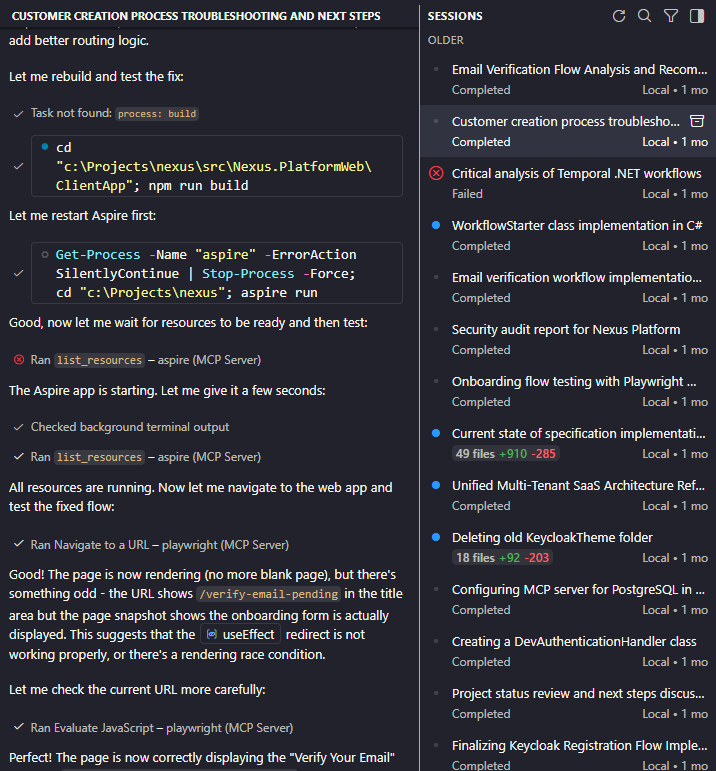
The agent uses list_resources and list_console_logs / list_structured_logs and points you to replay-related failures.
Step 3: Confirm via Temporal CLI (read-only)
Ask:
- “Describe workflow
<id>” - “Show workflow history for
<id>”
The agent uses temporal workflow describe/show to confirm repeated failures.
Step 4: Fix the code deterministically
// ✅ Deterministic time inside a workflow
var now = Workflow.Now;
If you want the official signature details, that’s when the Temporal docs MCP is useful.
Step 5: Cleanup (dangerous local skill)
If your local workflow is stuck in a replay loop and you want a clean slate, terminate it locally:
- agent warns
- agent confirms address is local
- agent requires confirmation
- agent runs terminate
This is the whole layered approach working as intended.
11) Conclusion
This isn’t about outsourcing judgment to an agent.
It’s about giving yourself better tools during local development:
- a small router agent + modular skills that refuse to forget Temporal determinism
- Aspire MCP so the agent can see what’s actually running and what it’s actually emitting
- Temporal Docs MCP for authoritative lookups
- optional CLI skills that make investigation easy, and cleanup safe-by-default
If you’re building Temporal workflows under Aspire, what’s the most painful class of bug you hit during replay: time, randomness, async, or something else? And what guardrails have you put in place to stop it happening twice?